MAI 2 AIFree Text-to-Image Generator
Just describe your vision — Mai 2 AI generates stunning, production-ready images in seconds. Natural lighting, cinematic detail, and reliable in-image text rendering.
Transform your ideas
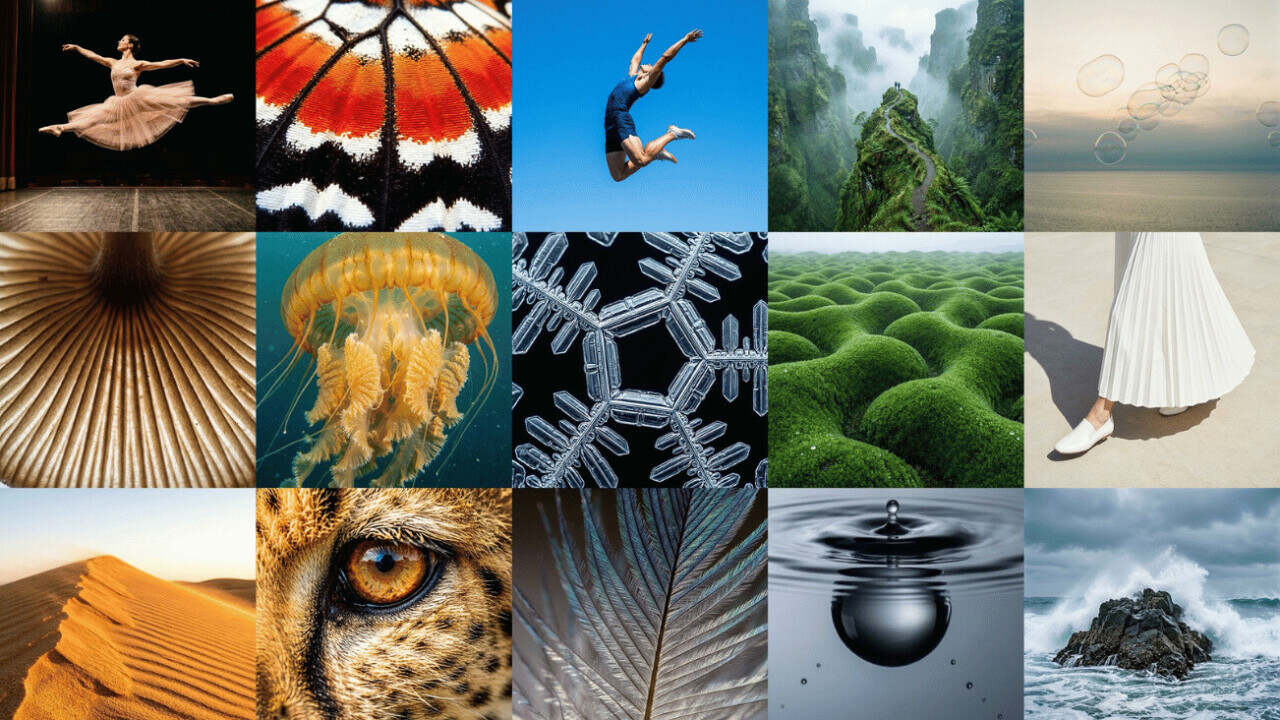
Mai 2 AI generates photorealistic visuals from your prompts.
What Is MAI 2 AI?
Everything you need to know about this top-ranked AI image generator.
MAI 2 AI is a second-generation text-to-image model that has quickly risen to become one of the top-ranked AI image generators. Most people simply search for "MAI 2 AI" or "Mai Image 2" — and they mean the same thing.
Since launching in March 2026, the model has climbed to #3 on the Arena.ai text-to-image leaderboard, sitting just behind Google Gemini 3.1 Flash and OpenAI GPT-Image 1.5. It was developed alongside photographers, designers, and visual storytellers — which is why its output feels grounded rather than synthetic.
Three things set MAI 2 AI apart from other AI image generation tools: photorealistic lighting that mimics real camera behavior, accurate in-image text rendering for posters and infographics, and cinematic composition that handles complex, multi-element scenes without falling apart.
The model continues to be integrated into more platforms and tools, with API access expanding to more developers and creators.
Pro Tip: For the most photorealistic portraits with MAI 2 AI, include specific lighting directions in your prompt — "soft golden hour side lighting" produces far better skin tones than just "good lighting." Describing lens type (e.g., "85mm f/1.4") also dramatically improves depth-of-field realism.
Key Features of MAI 2 AI
From natural lighting to reliable text rendering — built for creators who need production-ready AI image generation.
Photorealistic Output
MAI 2 AI produces images with natural lighting, accurate skin tones, and realistic environments. Scenes feel lived-in rather than rendered — reducing the need for post-production retouching.
In-Image Text Rendering
Generate posters, infographics, slides, and diagrams with clear, readable text. Mai Image 2 minimizes the gap between your prompt and the final creation — a known weakness in most competing models.
Cinematic Composition
Handle complex prompts with surreal concepts, ornate compositions, and hyper-detailed worlds. This text-to-image model turns ambitious ideas into stunning visuals.
Prompt-Faithful Control
Specify lens type, depth of field, time of day, and material finishes. The model follows your creative direction without over-stylizing — ideal for brand-safe campaigns.
Fast Generation Speed
Generate multiple variations in seconds. Fast enough to iterate live during creative reviews and lock a visual direction in under an hour.
Common Mistake: Don't use vague prompts like "a nice landscape." Instead, specify atmosphere details — "misty alpine valley at dawn, low clouds threading between pine ridges, soft pink light on snow peaks." Specific environmental cues give the photorealistic engine far more to work with.
How to Use MAI 2 AI
Create photorealistic images from text in four simple steps.
Write Your Prompt
Describe the image you want MAI 2 AI to create in plain English. Include details like subject, environment, lighting, and composition. The model follows complex prompts with high fidelity.
Choose Your Settings
Select your preferred aspect ratio (1:1, 16:9, 9:16, 4:3) and quality level. No design experience required — the MAI 2 AI Generator handles the rest.
Generate Your Image
Click Generate and watch the AI create your image in seconds. This text-to-image model delivers photorealistic results on the first try.
Download and Use
Save your image in high resolution. Every result is production-ready for social media, marketing campaigns, or creative projects.
Pro Tip: For the most photorealistic portraits with MAI 2 AI, include specific lighting directions in your prompt — "soft golden hour side lighting" produces far better skin tones than just "good lighting." Describing lens type (e.g., "85mm f/1.4") also dramatically improves depth-of-field realism.
Ready to create? Try MAI 2 AI free — no sign-up needed.
MAI 2 AI vs GPT-Image vs DALL-E 3
See how MAI 2 AI stacks up against the top AI image generators on the market.
| Feature | MAI 2 AI | GPT-Image 1.5 | DALL-E 3 | Midjourney v7 |
|---|---|---|---|---|
| Photorealism | ★★★★★ | ★★★★★ | ★★★★☆ | ★★★★★ |
| In-Image Text | ★★★★★ | ★★★★★ | ★★★★★ | ★★★☆☆ |
| Free Tier | ✅ Yes | ❌ Paid | ❌ Paid | ❌ Paid |
| Prompt Fidelity | ★★★★★ | ★★★★★ | ★★★★☆ | ★★★★☆ |
| Speed | ★★★★★ | ★★★★☆ | ★★★★☆ | ★★★☆☆ |
| API Access | Coming Soon | ✅ Available | ✅ Available | ❌ No |
Free MAI 2 AI gives you top-tier photorealistic output without any subscription. Whether you're a freelance designer or a marketing team, you get production-ready visuals at zero cost. No sign-up required, no watermarks — powered by a top-ranked model on the Arena.ai leaderboard.
MAI 2 AI Generator Use Cases
From ad campaigns to concept art — see how creators use AI image generation across industries.
Marketing & Advertising
Create high-impact campaign visuals, product promotions, and branded content with MAI 2 AI. It delivers ad-ready images with natural lighting and consistent brand aesthetics.
Social Media Content
Generate scroll-stopping images for posts, stories, and ads. Fast iteration means you can test multiple visual directions and publish within minutes.
E-commerce Product Photography
Generate believable product shots with realistic shadows and reflections. Save retouching time and keep every image on-brand for your landing pages.
Film & Game Pre-production
Produce concept art, storyboard frames, and environment mockups. Visualize complex scenes before committing to production with photorealistic fidelity.
Educational Materials
Build custom diagrams, instructional images, and explainer graphics. Clear, natural-looking visuals that break down complex concepts for students and training materials.
Portrait & Character Art
Create photorealistic portraits with consistent lighting and composition. Low style repetition ensures each piece feels distinct and professional.
MAI 2 AI FAQ
MAI 2 AI is a second-generation text-to-image AI model. It ranks #3 on the Arena.ai leaderboard and excels at photorealistic image generation, in-image text rendering, and complex scene composition.
Yes. MAI 2 AI and Mai Image 2 refer to the same model. "MAI 2 AI" is the shorthand commonly used in search and conversation. Both point to the same underlying technology.
Enter a text prompt describing your desired image, choose an aspect ratio, and click Generate. Free MAI 2 AI offers starter credits at no cost — no credit card or account registration needed.
It generates high-resolution images in PNG and JPEG formats. Multiple aspect ratios are supported including 1:1, 16:9, 9:16, and 4:3 — suitable for social media, print, and web use.
Yes. No prompts or generated images are stored permanently. All files are auto-deleted within 1 hour. Your creative work stays private.
Both excel at text rendering, but MAI 2 AI offers stronger photorealism with natural lighting and free access. It ranks alongside DALL-E 3 and GPT-Image 1.5 in the top 3 on Arena.ai.
Try the Best MAI 2 AI Generator Today
Photorealistic quality powered by advanced AI — start generating for free.